Applying for an India e-Visa, step by step
The official portal, the photo sizes and what you answer yourself.
About 20 minutes · pictures checked October 2026
The pictures with the form and the Submit button use a test portal and a fictional specimen passport. The official site looks different, but the steps are the same.
Open the right website
indianvisaonline.gov.in. Nothing else is authorised.
Tip: Type it or use the button on your Faylo page.
Check any address against the official ones →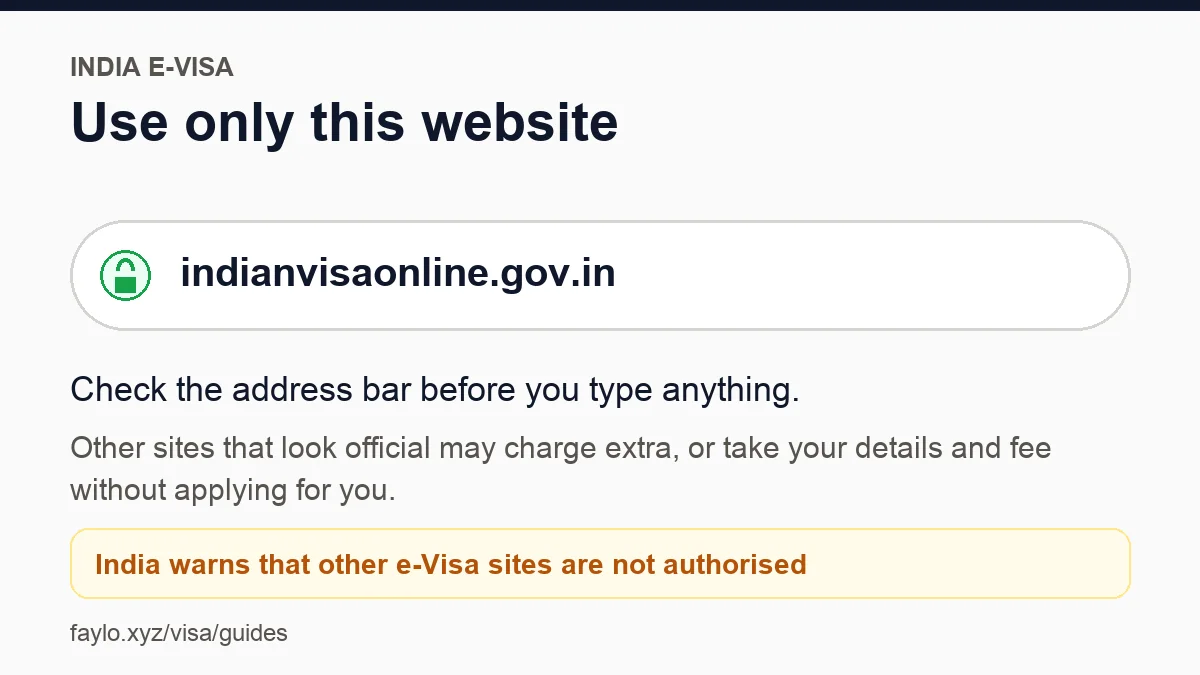
Have these ready
Passport, a face photo, a passport page scan, email and a card.
Get your photo and passport scan the right size →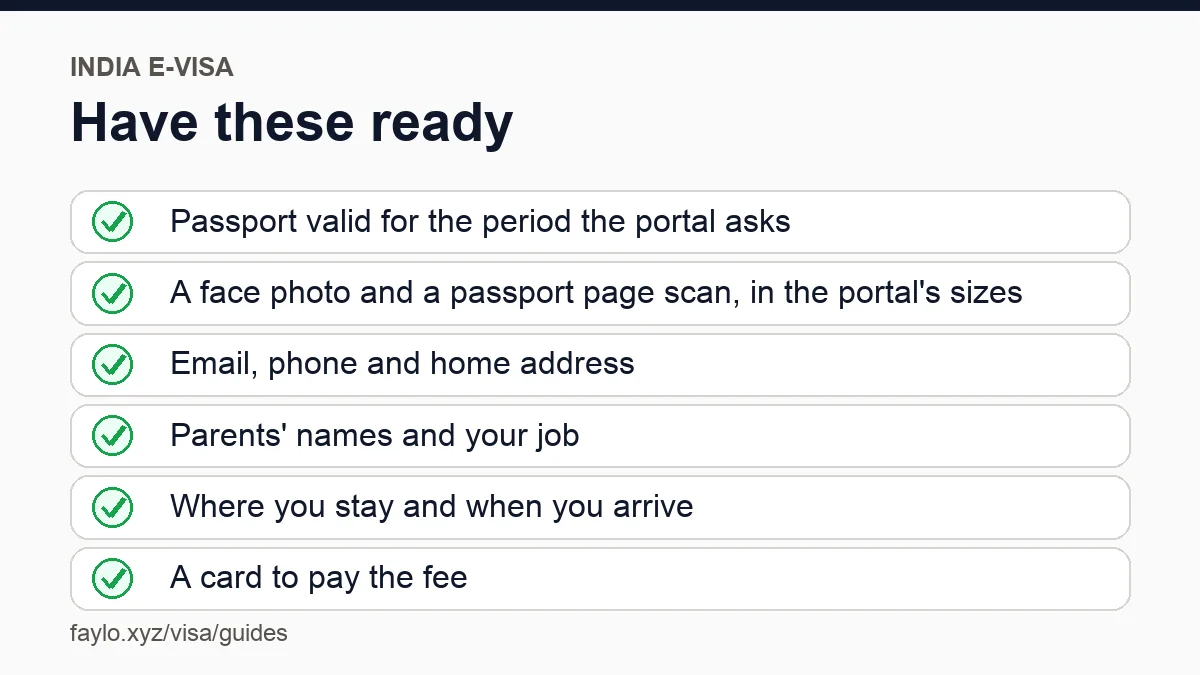
Your details fill in
Name, passport and trip details appear on each page.
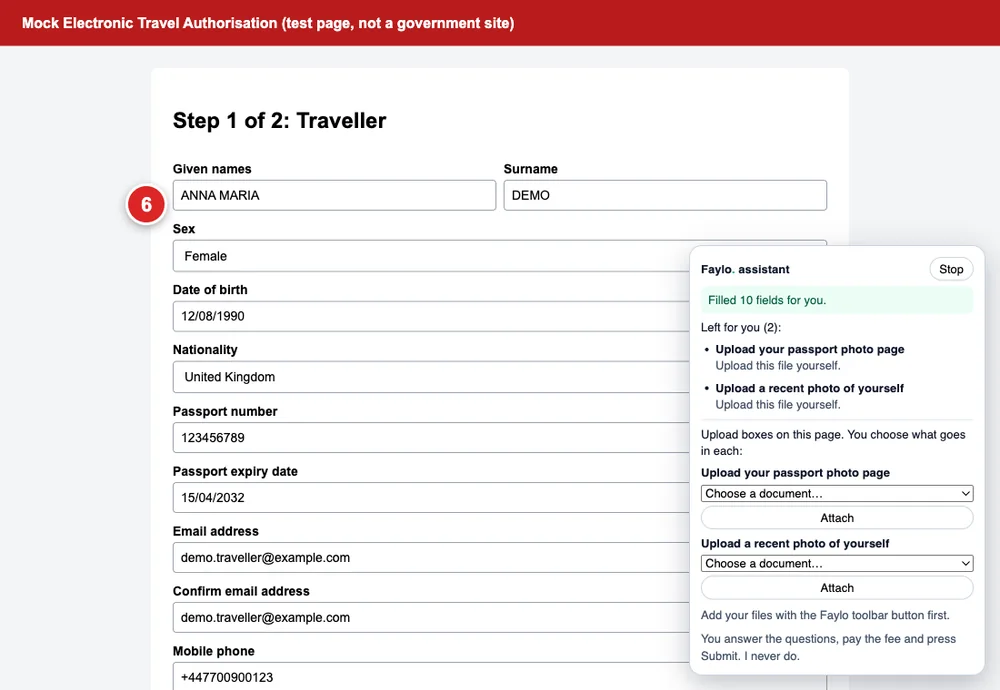
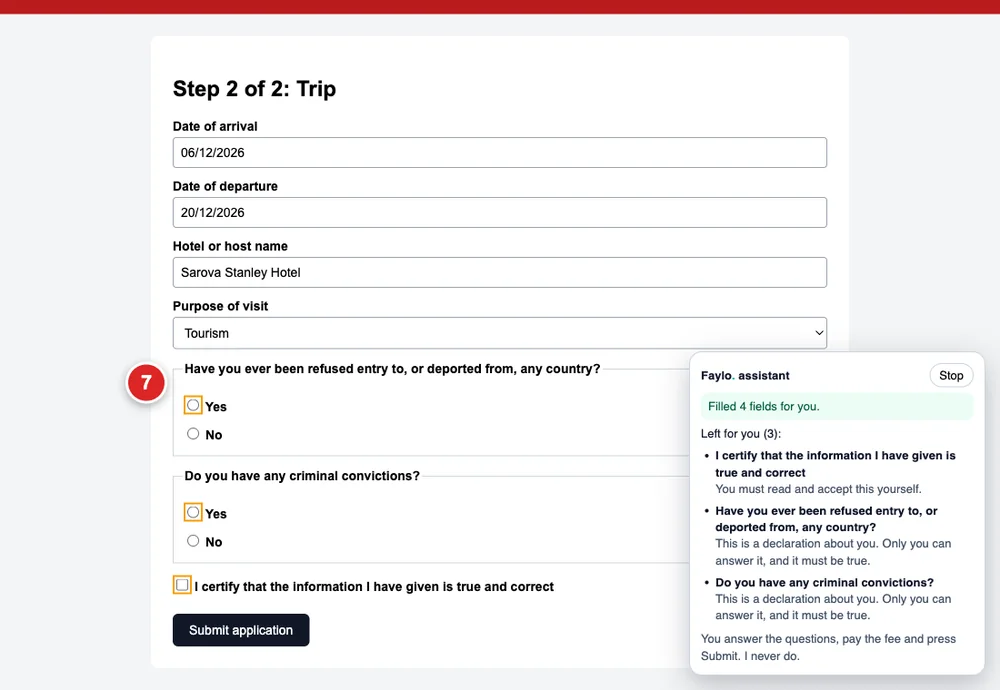
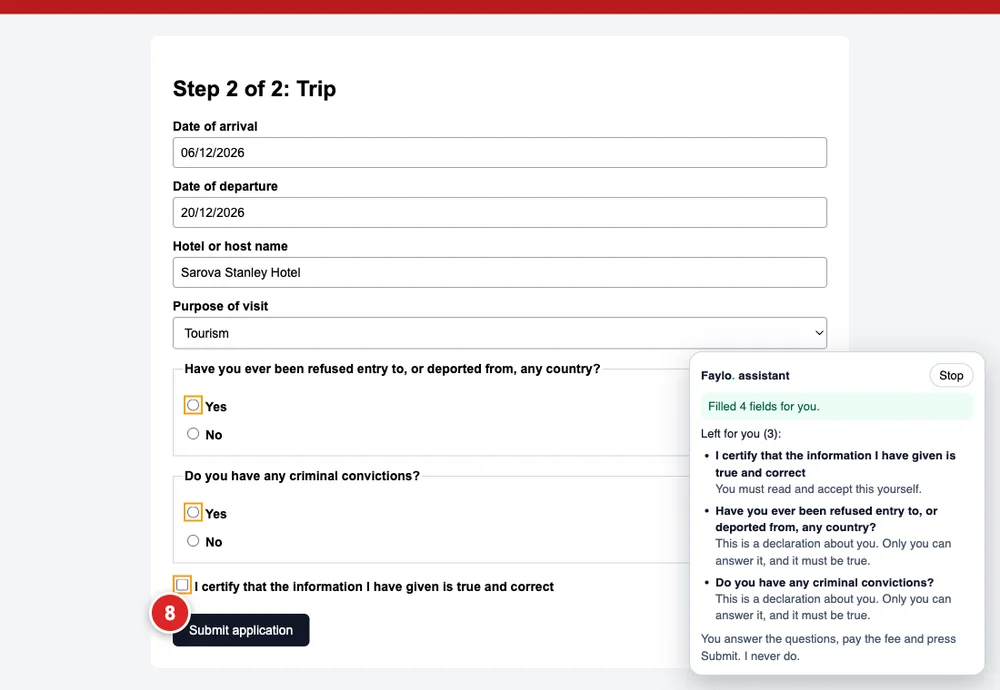
The personal questions are yours
Yes/no questions and 'I certify' boxes stay empty and highlighted.
Tip: Answer them yourself, truthfully.
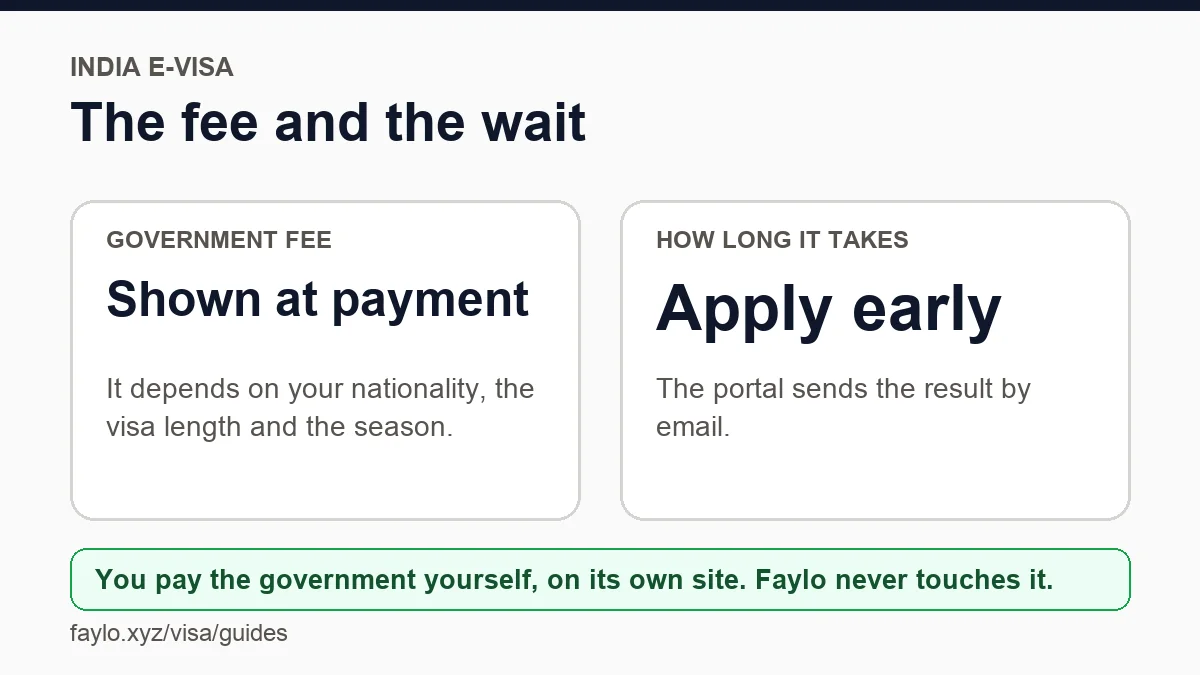
Know the fee and the wait
The fee is shown before you pay. It depends on nationality and length.
Tip: Wrong photo or scan size is the most common reason for rejection.
You pay and press Submit
We never do. Keep the confirmation.
Tip: This route is invite-only while we confirm the portal's rules.
Not sure you need a visa at all?
Check your passport and destination first. It's free and takes ten seconds.
Check my visaMore guides
- How the Faylo Visa Assistant works
- How to photograph your passport page
- Applying for the Kenya eTA, step by step
- Applying for the UK ETA, step by step
- Applying for a US ESTA, step by step
- Applying for a UK visitor visa, step by step
- Applying for a China visa in Lagos, step by step
- Applying for a Netherlands visa from Nigeria, step by step
- Applying for a Canada eTA, step by step
Faylo is not an embassy or an immigration adviser and can't guarantee a visa. Always confirm on the official site before you pay or book.